
Neon tube material with a glass sheath
In your harnessBlender toolMIT
Build a neon sign material: an emissive gas core, whitened at the face-on centre, mixed by the Fresnel term with a clear glass sheath that takes over toward the silhouette. Use it for signs, cyberpunk scenes, bars and stylized lighting.

What it takes and gives
- Operator
- baltor.material_neon_emission
- Parameters
- material_name, color, strength, core_whiteness, sheath, assign
- Result
- One emissive material with a node tree; assigned to the active object.
- Blender
- 4.2 or later
- Axes
- Blender Z up, -Y forward
- Units
- metres
Limits. Emission lights the scene only in renderers that treat emissive meshes as lights (Cycles does, with noise); EEVEE needs light probes or extra lamps. No bloom: add glare in the compositor. The white core is a stylized ramp, not a gas discharge spectrum. Rendered here with Cycles CPU only. Verified in Blender 5.2.1; written for the 4.2 API.
Details
- Kind
- Blender tool
- Engine
- Blender 4.2 or later
- Files
- 11 files, 124.7 KB
- Licence
- MIT
- Declared effects
- runs commands
- Checked with
- Blender 5.2.1, background (Cycles CPU for previews)
- Checks
- addon install and enable, operator runs with defaults, blender data matches core, addon disable unregisters, script mode runs, clean reopen addon file, clean reopen script file, gltf separate export, engine output clean
- Techniques
- Layer Weight facing and Fresnel terms, Mix of emission and glass by Fresnel, Colour ramp toward white for an overexposed core
- Tags
- blender, material, shader nodes, neon, emission, glow, signage
- Identity
library.supply.creative_originals.28c7283dc2fe876e189f4af7.58d61e32749b70fe- Version
58d61e32749b70fea9541308df230ec98b41cdca21617e0d18f5190bd94ab761
The version is the SHA-256 of the item your harness downloads; every file in it names its own checksum.
Related files
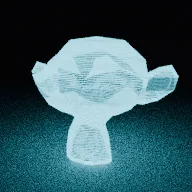 Hologram material with scanlines and glitch bandsIn your harness
Something wrong with this item, its rights or its safety? Report it on the support page, or from your harness after a download.