
PBR material from a folder of maps
In your harnessBlender toolMIT
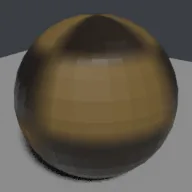
Build a full PBR material from a folder of texture maps by recognising each file from the words in its name: base colour, roughness or gloss, metallic, normal (OpenGL or DirectX), height, ambient occlusion, opacity and emission, with the right colour spaces. Use it to import texture sets fast.
What it takes and gives
- Operator
- baltor.material_pbr_from_folder
- Parameters
- material_name, folder, uv_scale, normal_strength, displacement_scale, ao_strength, assign
- Result
- One material with image nodes; assigned to the active object.
- Blender
- 4.2 or later
- Axes
- Blender Z up, -Y forward
- Units
- metres
Limits. Recognition is by file name tokens only; files with unusual names are listed as ignored, and when two files match one channel the first in sorted order wins and the rest are reported. Packed channel maps (such as ORM) and UDIM tile sets are not split. Height goes through the Displacement node, which renders as bump unless the material's displacement method is changed. Verified in Blender 5.2.1; written for the 4.2 API.
Details
- Kind
- Blender tool
- Engine
- Blender 4.2 or later
- Files
- 11 files, 122.1 KB
- Licence
- MIT
- Declared effects
- reads files, runs commands, writes files
- Checked with
- Blender 5.2.1, background (Cycles CPU for previews)
- Checks
- addon install and enable, operator runs with defaults, blender data matches core, addon disable unregisters, script mode runs, clean reopen addon file, clean reopen script file, gltf separate export, engine output clean
- Techniques
- File name tokenisation with camel case and separator splitting, Colour space by channel: sRGB for colour, Non-Color for data maps, DirectX to OpenGL normal conversion by inverting green
- Tags
- blender, material, pbr, texture import, normal map, shader nodes, pipeline
- Identity
library.supply.creative_originals.de7860a6acecb320578fdec3.25fa5bf6e51047a4- Version
25fa5bf6e51047a44f2179237794e48e322067891ea22f3873a7d5b27aa01a4c
The version is the SHA-256 of the item your harness downloads; every file in it names its own checksum.
Related files
 Triplanar box-projected image materialIn your harness
Something wrong with this item, its rights or its safety? Report it on the support page, or from your harness after a download.