
Wind sway for 2D plants and banners
In your harnessGodot shaderMIT
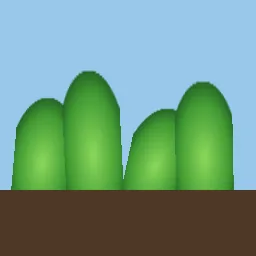
Sway 2D foliage in the wind by shearing the sprite's top while its base stays planted, with a gust wave that travels across the scene and a phase taken from each node's position so neighbours move out of step.
What it takes and gives
- Shader type
- canvas_item
- Parameters
- strength (float = 14), speed (float = 1.6), gust_strength (float = 10), gust_wavelength (float = 600), gust_speed (float = 220), stiffness (float = 1.5), base_v (float = 1)
- Use it on
- Sprites whose planted edge is at the bottom (or set
base_v). - Result
- Four plant sprites leaning and swaying at different phases above the ground.
- Renderers
- compatibility: compiled and rendered, forward plus: not verified, mobile: not verified
- Placement
- res://baltor/godot_shaders/sprite_wind_sway/
Limits. A Sprite2D has four vertices, so it shears rather than curves; use a subdivided Polygon2D or MeshInstance2D for a curved bend. Large shears push the sprite beyond its bounding rectangle used for culling.
Details
- Kind
- Godot shader
- Engine
- Godot 4.3 or later
- Files
- 11 files, 64.5 KB
- Licence
- MIT
- Declared effects
- reads files, runs commands
- Checked with
- Godot 4.7.2, opengl3 compatibility (Mesa llvmpipe, Xvfb)
- Checks
- contract static, engine run, engine log clean, shader in scene, capture written, render not uniform, shader changes pixels
- Techniques
- Vertex shear weighted by distance from a pinned edge, Travelling one-sided sine gusts, Phase from node position
- Tags
- godot shader, canvas item, wind, sway, foliage, vertex animation, 2d
- Identity
library.supply.creative_originals.e01dbcabc66bb1e0c1d05d5d.029e76c4d4f77132- Version
029e76c4d4f77132fd69d94e206f9e896ec4d60b30a6b7b99017955e8a1f70d0
The version is the SHA-256 of the item your harness downloads; every file in it names its own checksum.
Related files
 Procedural 2D grass field with windIn your harness
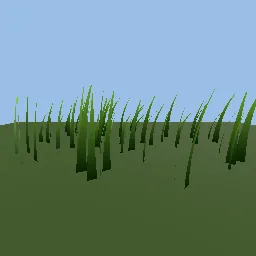 Grass blades swaying in travelling wind gustsIn your harness
 Waving flag with a pinned edgeIn your harness
Something wrong with this item, its rights or its safety? Report it on the support page, or from your harness after a download.