
Topographic contour lines with elevation tints
In your harnessGodot shaderMIT
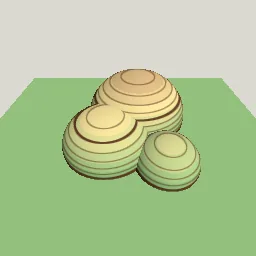
Map-style shading by world height: minor and major contour lines of constant pixel width every few metres, hypsometric colour bands from lowland green to highland brown and white, on any mesh.
What it takes and gives
- Shader type
- spatial
- Parameters
- interval (float = 0.1), major_every (int = 5), line_pixels (float = 1), line_color (vec4 = 0.35, 0.22, 0.12, 1), height_low (float = -0.5), height_high (float = 0.6), low_tint (vec4 = 0.55, 0.75, 0.5, 1), mid_tint (vec4 = 0.9, 0.85, 0.6, 1) and 2 more
- Result
- Hills shaded in green, sand and brown bands with brown contour rings that thicken every fifth line.
- Renderers
- compatibility: compiled and rendered, forward plus: not verified, mobile: not verified
- Placement
- res://baltor/godot_shaders/topographic_contours/
Limits. On flat areas exactly at a contour height the line covers the whole surface. Lines on near-vertical walls bunch together. Heights are world Y, so the material must not move vertically to keep the map stable.
Details
- Kind
- Godot shader
- Engine
- Godot 4.3 or later
- Files
- 11 files, 70.1 KB
- Licence
- MIT
- Declared effects
- reads files, runs commands
- Checked with
- Godot 4.7.2, opengl3 compatibility (Mesa llvmpipe, Xvfb)
- Checks
- contract static, engine run, engine log clean, shader in scene, capture written, render not uniform, shader changes pixels
- Techniques
- Derivative anti-aliased iso-lines of world height, Hypsometric tinting with optional steps
- Tags
- godot shader, spatial, contour lines, topographic, map, elevation, visualization
- Identity
library.supply.creative_originals.eea1bfe0b83e89039d94d9ad.03ab91f68e78cff7- Version
03ab91f68e78cff7b61a6322844725c6787ca56249a8d66b41215b1860326bc4
The version is the SHA-256 of the item your harness downloads; every file in it names its own checksum.
Related files
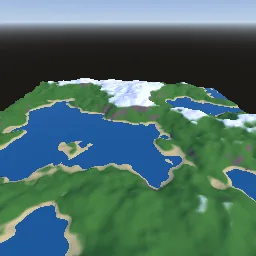 Noise terrain with height and slope splattingIn your harness
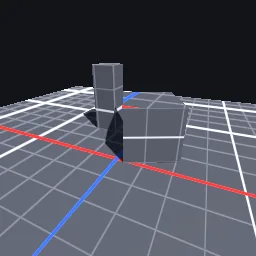 World-space prototyping gridIn your harness
Something wrong with this item, its rights or its safety? Report it on the support page, or from your harness after a download.