
24-cell from the Hurwitz quaternion units
In your harness4D geometry toolMIT
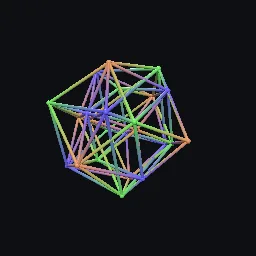
Generate the 24-cell as the binary tetrahedral group (closure of two unit quaternions), split it into three inscribed 16-cells by coset, check self-duality, and write a coset-coloured wireframe glTF or a polytope JSON record.
What it takes and gives
- Entry points
- closure, hurwitz_units, is_group, cosets, facet_normals, polytope, is_24cell, is_sixteen_cell and 6 more
- Outputs
- example.gltf
- Coordinates
- x, y, z, w with the quaternion a + bi + cj + dk at (b, c, d, a); projected to Godot/glTF +Y up
Limits. Tubes are straight segments between projected vertices; under the stereographic projection the true edge images are circular arcs. Group closure compares elements after rounding to 8 decimals, so generators must be exact to that precision. The perspective projection refuses an eye inside the rotated 24-cell.
Details
- Kind
- 4D geometry tool
- Engine
- Python 3.10 or later
- Files
- 10 files, 244.8 KB
- Licence
- MIT
- Declared effects
- reads files, runs commands, writes files
- Checked with
- Godot 4.7.2, gl_compatibility (opengl3, Mesa llvmpipe under Xvfb)
- Checks
- cli rebuilds example, gltf structure example, cli example runs, cli example gltf structure, godot loads example, godot loads cli 24cell lines, preview render
- Techniques
- Schlafli symbol {3,4,3}, Hurwitz quaternions, binary tetrahedral group 2T of order 24, cosets of the quaternion group Q8, self-duality of the 24-cell
- Tags
- 4d, 24-cell, icositetrachoron, polytope, quaternion, hurwitz units, binary tetrahedral group, self-dual
- Identity
library.supply.creative_originals.cfce950cf1d6701cb5fac5bf.43aecd0902ac4012- Version
43aecd0902ac4012039778570e74ec9e089f62edbef9c199c28f4c1b94abd0c2
The version is the SHA-256 of the item your harness downloads; every file in it names its own checksum.
Related files
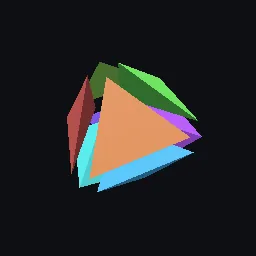 16-cell from signed axesIn your harness
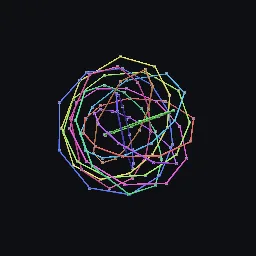 600-cell from the binary icosahedral groupIn your harness
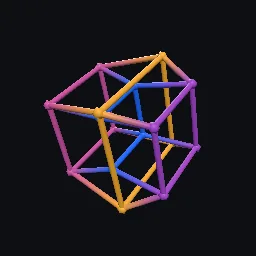 Tesseract from 4-bit vertex labelsIn your harness
Something wrong with this item, its rights or its safety? Report it on the support page, or from your harness after a download.