
Glazed ceramic tile material with bevelled edges
In your harnessBlender toolMIT
Build a square tile node material from math nodes: grout lines, rounded tile edges by bump, a glossy glaze whose colour varies per tile from a cell hash, and rough grout. Use it for kitchens, bathrooms, pools and floors.
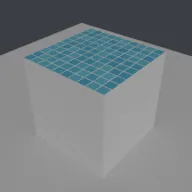
What it takes and gives
- Operator
- baltor.material_ceramic_tile
- Parameters
- material_name, orientation, tile_size, grout_width, bevel, glaze_a, glaze_b, grout_color and 2 more
- Result
- One material with a node tree; assigned to the active object.
- Blender
- 4.2 or later
- Axes
- Blender Z up, -Y forward
- Units
- metres
Limits. Square grid tiles only; no offset, herringbone or hexagonal layouts (see the tiled floor generator for geometry layouts). The bevel is a bump effect, not geometry. Colour variation is a mix of two glaze colours per tile, not crackle or pooling. Rendered here with Cycles CPU only. Verified in Blender 5.2.1; written for the 4.2 API.
Details
- Kind
- Blender tool
- Engine
- Blender 4.2 or later
- Files
- 11 files, 116.0 KB
- Licence
- MIT
- Declared effects
- runs commands
- Checked with
- Blender 5.2.1, background (Cycles CPU for previews)
- Checks
- addon install and enable, operator runs with defaults, blender data matches core, addon disable unregisters, script mode runs, clean reopen addon file, clean reopen script file, gltf separate export, engine output clean
- Techniques
- Cell index by floor and in-cell position by fraction of scaled coordinates, Distance to the nearest square edge: 0.5 - max(|x - 0.5|, |y - 0.5|), Per-cell random values from white noise of the cell index
- Tags
- blender, material, shader nodes, tile, ceramic, procedural texture, interior
- Identity
library.supply.creative_originals.430bcad1687adcd3c34c5e3e.bfb4df07246b8f8f- Version
bfb4df07246b8f8fd006ddff4b49ae18fd2323fa7f662ef37a4e25fb94cc0fc6
The version is the SHA-256 of the item your harness downloads; every file in it names its own checksum.
Related files
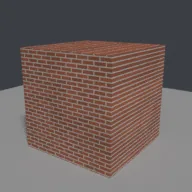 Procedural brick material sized in metresIn your harness
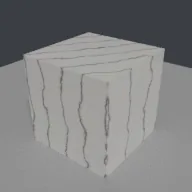 Polished marble material with turbulent veinsIn your harness
Something wrong with this item, its rights or its safety? Report it on the support page, or from your harness after a download.